


Hindi News by Dainik Bhaskar
4.02.20K Reviews
App Specs
- Version
- 14.14.2
- Updated On
- License
- Free
- Downloads
- 100,000,000+
- Developer
- Dainik Bhaskar Group
- Categories
- News & Magazines
- Platform
- Android, iOS
Screenshots

 Analysis by AppCompare
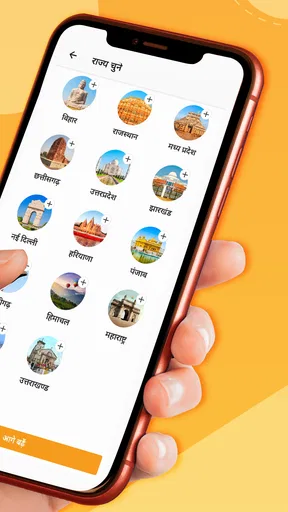
I judge a news app less by the first few days than by whether it still earns a place in my routine a month later. Hindi News by Dainik Bhaskar has a clear reason to make that case: it is a Hindi-language news app from Dainik Bhaskar Group, built around keeping up with headlines and local coverage. Its appeal is strongest when you want news connected to Indian cities and prefer reading in Hindi, rather than juggling a general-purpose feed that gives local stories little room.
What the first week feels like
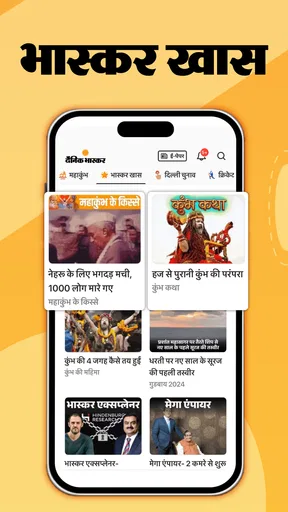
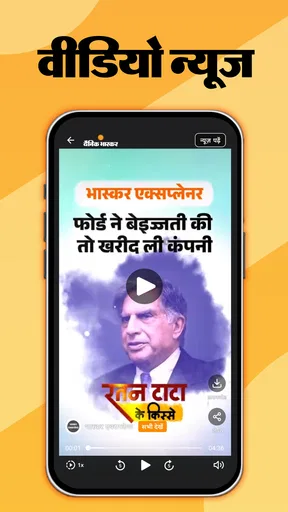
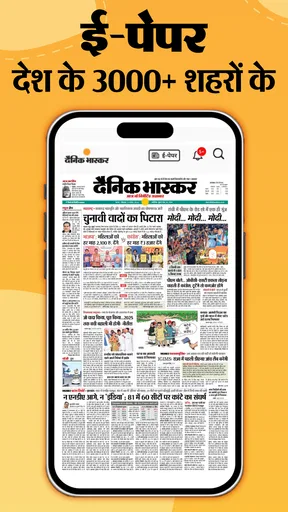
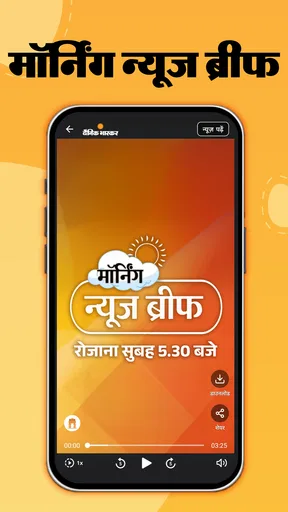
In the first few days, the convenience is easy to understand. Instead of waiting to pick up a paper or searching several sites, I can open one app and scan what is happening. The mix of local reporting, broader news, ePaper content and video gives different ways into the day’s coverage. That variety is useful when I have only a minute for headlines, but want the option to spend longer with a story later.
A practical first-week habit is to treat the home screen as a starting point, not a complete picture of the news. I would scan it for stories that matter to my city, then open only the pieces I want to follow. This keeps a quick check from turning into aimless scrolling. If notifications are available and relevant to your routine, it also helps to be selective: breaking updates can be useful, but every alert does not deserve an interruption.
Where it can keep earning its place
The app’s lasting value depends on what you return for. For someone who wants city news in Hindi, local coverage can be a stronger daily draw than a broad international feed. It can also suit readers who want to move between short updates and longer reading without switching to a separate newspaper app. That makes it a plausible everyday companion for checking local developments in the morning and catching up on a larger story later.
It is less compelling if your main interest is a highly customizable, multi-publisher news stream or a wide range of international perspectives. In that case, a news aggregator may be a better fit because it can gather outlets with different editorial voices in one place. I would also keep a second source in mind for stories where context matters: a single publication’s coverage can be useful, but comparing reporting is a sensible habit for complicated or fast-changing issues.
Keeping the routine manageable
A news app is only helpful if it does not create more work than it saves. I would make the experience lighter by choosing a specific time to check it, rather than returning whenever a new alert appears. If I am only interested in my city, I would focus my reading there and avoid trying to follow every section. The point is to use the app to answer a real question—what is happening nearby?—not to feel responsible for reading everything.
ePaper reading offers a different rhythm from tapping through individual stories. It may be a better choice when I want a newspaper-like session and a wider scan of what is being covered; the regular feed is more convenient when I am looking for a quick update. Switching between those modes based on available time is a useful way to avoid making the app feel repetitive. Video can add another format, though readers who prefer quiet, text-only browsing may not find it a reason to return.
Worth Reading Before You Choose

Baby Panda World Brings Quick Play to Modern Phones, but Its Game Library Feels Busy

ESPN’s Live Game View Makes Following Close Games Easier

QuizzLand Review: A Good Fit for Short Trivia Breaks, Not Every Player

Basketball Stars: Multiplayer Is Fast, but Can It Recover When Matches Go Wrong?

WEBTOON Turns Phone Updates Into a Better Reading Routine

Link to Windows Runs on Shared Habits, Not Social Feeds
What may wear thin
The main trade-off is that a steady flow of headlines can become tiring, especially if I let notifications or frequent checking set the pace. Local relevance is a strength, but it does not automatically make every story relevant to me. I would be wary of judging the app by how many updates it presents; a smaller, intentional reading habit is usually more useful than trying to keep up with every item.
There is also a difference between an app being easy to browse and being the best place for every kind of news. Readers who want a deliberately balanced selection across many publications may prefer an aggregator, while someone who values Hindi and city-level coverage may find this app more direct. The best choice depends on what I want to read repeatedly, not which app offers the busiest front page.
Getting Started with Hindi News by Dainik Bhaskar
First things first, downloading the app is a breeze. Available on both Android and iOS, you can find it easily on the Google Play Store or the Apple App Store. Once you’ve got it up and running, the interface immediately strikes you as user-friendly and straightforward. No unnecessary frills—just straight-up news, which is exactly what we’re here for, right?
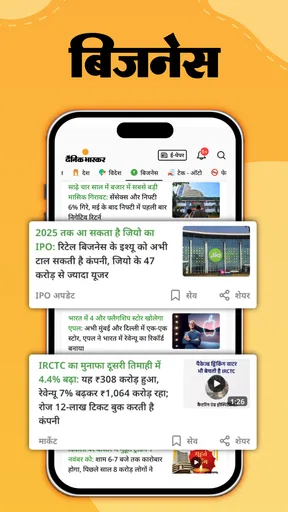
Upon opening the app, you’re greeted with a splash of vibrant colors and a well-organized layout. The home page is packed with the latest headlines, and the navigation is as smooth as butter, letting you glide through various sections like National News, Sports, Entertainment, and more.
Features That Stand Out
Okay, let's dive into what makes Hindi News by Dainik Bhaskar tick. One of the standout features is the real-time news updates. You know those moments when you just need to know what's happening right now? This app has got you covered. The updates roll in fast, keeping you on top of all the breaking news.
Another nifty feature is personalized notifications. You can tweak these to suit your interests, so you're not bombarded with news that doesn’t matter to you. I mean, who has time for that?
For those who love to dig deeper, the app provides in-depth analysis and editorial pieces. These offer a richer perspective and are perfect for anyone who likes to stay informed beyond the headlines.
User Experience and Design
Now, let's talk about the user experience. Navigating through the app is a breeze, thanks to its intuitive design. The developers have clearly put a lot of thought into making it accessible for everyone. The text is crisp, and the images are sharp, making your reading experience enjoyable.
One thing I really appreciate is the dark mode feature. It’s a lifesaver for those late-night news binges. Plus, it’s easier on the eyes if you're like me and enjoy catching up on the news before bed.
Content Quality
When it comes to content, the app doesn’t disappoint. The news articles are well-written and cover a wide range of topics. Whether you're interested in local happenings or international affairs, there's something for everyone.
The quality of reporting is solid, with articles written in a clear and concise manner. The language used is crisp and engaging, which makes reading a pleasure rather than a chore.
Final Thoughts
So, is Hindi News by Dainik Bhaskar worth the download? Absolutely. It’s an app that feels like it’s been crafted with the user in mind, offering a seamless experience packed with quality content. Whether you’re a news junkie or just someone who likes to stay informed, this app is a fantastic tool to have at your fingertips.
With its speedy updates, personalized notifications, and user-friendly design, it ticks all the boxes for a top-notch news app. So go ahead, give it a whirl, and let me know if it becomes your go-to source for news, just like it did for me!
How it fits into a real day
Imagine checking the news before leaving home: you have a few minutes, want to know whether anything significant has happened nearby, and do not want to open several unrelated feeds. I would use the local headlines for that first pass, save deeper reading for a break, and turn to the ePaper when I have time for a more newspaper-like browse. That division of labor gives the app a recurring role without asking it to occupy the whole day.
It is also useful for readers who are more comfortable following current affairs in Hindi than in English. The language choice is not merely cosmetic; it can make local names, places and public discussions easier to follow. On the other hand, a reader who needs specialist business, science or international reporting may still want dedicated sources alongside it rather than expecting one Hindi news app to cover every interest at the same depth.
Choosing what to read, not just what appears
One non-obvious way to get more from a headline feed is to use it as a discovery layer. A short update can tell me which local issue deserves attention, while an analysis or editorial piece may help me think beyond the immediate event. I try not to treat the first headline I see as the whole story: opening a longer piece, checking its date and looking for how the account develops can prevent a quick scan from becoming a mistaken impression.
The same approach helps with notifications. Personalization is valuable only if the alerts match a genuine need, such as keeping track of an issue that affects my neighborhood. If I receive too many prompts, I would narrow the choices or check the app at set times instead. The trade-off is straightforward: fewer interruptions may mean I see a development later, but constant alerts can make me ignore even the important ones.
Who is likely to stick with it
I can see this app becoming a regular choice for Hindi readers who care about city-level news and want a quick route from headlines to fuller coverage. It may also suit someone who likes a mixture of article reading and ePaper browsing, or a family member who wants a familiar Hindi news routine on a phone. It is free, rated for Everyone, and has reached more than 100 million installs, so trying it does not require a paid commitment. Its average rating is 4.0 from around 688,000 ratings, with roughly 2,200 written reviews.
It is a weaker match for someone who wants a neutral-looking digest assembled from many competing publishers, or who prefers to follow news only through audio or a tightly curated newsletter. Those alternatives can reduce the effort of comparing sources or filtering a large stream. I would also skip making it my sole source if I need a broad international lens; its strongest everyday reason to stay installed is the Hindi and local-news connection.
Staying comfortable over time
Maintenance here is less about technical upkeep than about managing attention. I would periodically review whether alerts still serve me, whether I am opening the app for a purpose, and whether the sections I browse remain relevant. If I notice that I am checking headlines repeatedly without learning anything new, a scheduled morning or evening visit is a better habit than deleting the app in frustration.
Device compatibility is another practical consideration: the current version is 14.14.2, and the Android requirement is 6.0 or later. The app first appeared on January 7, 2014, so it is an established product rather than a new experiment. For a prospective user, the useful question is not how long it has existed but whether its current mix of Hindi city coverage, updates, ePaper and video matches the way they actually consume news.
My long-term verdict
After the novelty of a new news app fades, I think this one earns space when local Hindi reporting is something I genuinely return for. The combination of quick headlines and formats for longer reading gives it more than a one-time browsing appeal, while selective notifications and a fixed check-in can keep it from taking over the day. Dainik Bhaskar Group’s app is not a replacement for every publication or every viewpoint, and I would compare sources on important stories rather than rely on one feed alone.
My recommendation is simple: try it if you want a convenient Hindi-language route into city news, then judge it by whether it helps you stay informed with less effort after the first week. If your routine calls for a multi-source digest or specialized coverage, choose that as your main tool and treat this as a complementary local source. For readers who value the coverage and formats it brings together, the app has a sensible chance of remaining useful well beyond the initial download.
Pros
- Comprehensive news coverage.
- User-friendly interface.
- Regular updates with latest news.
- Customizable news categories.
- Offline reading mode available.
Cons
- Contains ads that can be intrusive.
- Limited international news.
- Requires account for personalized features.
- App size may be large for some devices.
- Notifications can be overwhelming.
FAQs for Hindi News by Dainik Bhaskar
What features does the Hindi News by Dainik Bhaskar app offer?
The Hindi News by Dainik Bhaskar app provides a comprehensive range of features, including real-time news updates, live TV streaming, and push notifications for breaking news. Users can customize their news feed based on preferences and access in-depth articles, opinion pieces, and multimedia content. The app also supports offline reading.
Is the Hindi News by Dainik Bhaskar app free to use?
Yes, the app is free to download and use. However, it may include in-app advertisements. Some features might require a subscription or one-time purchase to access premium content or an ad-free experience. It's advisable to check the app store for any additional in-app purchase options.
How frequently is the news updated in the Hindi News by Dainik Bhaskar app?
The app updates news stories in real-time, ensuring that users receive the latest information as it happens. The frequency of updates depends on the news cycle, but users can expect to see new content several times a day. Push notifications also ensure that breaking news is delivered promptly.
Can I customize the news categories in the Hindi News by Dainik Bhaskar app?
Yes, the app allows users to tailor their news feed according to their interests. You can select preferred categories such as politics, sports, entertainment, and technology. This customization ensures that you receive news relevant to your interests, enhancing the overall user experience.
Is the Hindi News by Dainik Bhaskar app available for both Android and iOS devices?
Absolutely, the app is available for both Android and iOS platforms. Users can download it from the Google Play Store for Android devices and the Apple App Store for iOS devices. It is designed to provide a seamless experience across different devices and operating systems.


